
15 Website Design Mistakes That Are Costing You Leads (And How to Fix Them)
Your website is often the first impression potential customers have of your business. Within just a few seconds, visitors decide whether they want to stay, explore your services, or leave for a competitor. While many businesses invest heavily in digital marketing, they often overlook one critical factor—the quality of their website design.
A visually appealing website is important, but great design goes far beyond attractive colors and images. It should guide visitors, build trust, answer their questions, and encourage them to take action. If your website fails in any of these areas, you're likely losing valuable leads without even realizing it.
Many businesses assume low conversions are caused by poor advertising or limited traffic. In reality, the problem often lies in avoidable website design mistakes that create a frustrating user experience and reduce trust. The good news is that most of these issues can be fixed with thoughtful planning and proven web design practices.
In this guide, we'll explore the 15 website design mistakes that are costing you leads, explain why they hurt your business, and show you practical ways to improve your website's performance and conversion rate.
Why Website Design Matters for Lead Generation
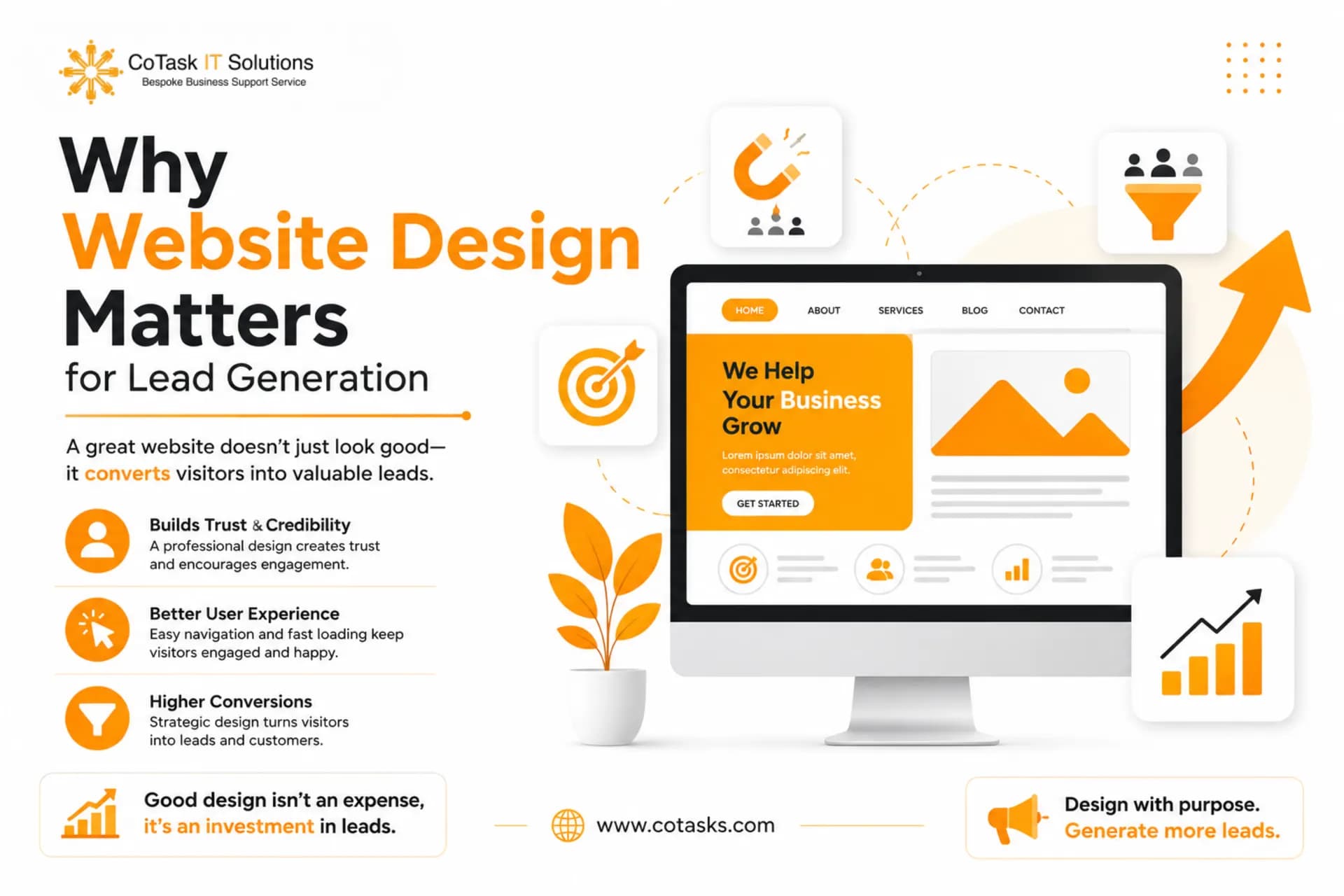
A website isn't just an online brochure—it's one of your most powerful sales and marketing tools. Every design decision influences how visitors interact with your business.
An effective website helps you:
- Build credibility and trust
- Improve user experience
- Increase engagement
- Generate qualified leads
- Improve search engine rankings
- Encourage visitors to contact your business
On the other hand, poor website design creates friction that drives users away before they even learn about your services.
1. Slow Website Loading Speed
One of the biggest website design mistakes businesses make is ignoring website speed.
Today's users expect websites to load almost instantly. Even a delay of a few seconds can increase bounce rates and reduce conversions. Slow-loading pages frustrate visitors and make your business appear outdated or unreliable.
Why It Hurts Lead Generation
When visitors have to wait, many simply leave before viewing your products or services. Search engines also consider page speed when ranking websites, meaning slow performance can reduce both traffic and conversions.
How to Fix It
- Compress images without sacrificing quality
- Enable browser caching
- Minify CSS and JavaScript files
- Use a Content Delivery Network (CDN)
- Choose reliable website hosting
Expert Tip
Regularly test your website using performance analysis tools and monitor Core Web Vitals to identify opportunities for improvement.
More Details Visit Here: CoTasks IT Solutions
2. Poor Mobile Responsiveness
More than half of all web traffic now comes from mobile devices. Yet many businesses still prioritize desktop design while neglecting mobile users.
If visitors need to zoom, scroll horizontally, or struggle to click buttons, they'll likely leave within seconds.
Why It Hurts Lead Generation
A poor mobile experience creates frustration and lowers trust. Since Google primarily indexes the mobile version of websites, poor responsiveness can also hurt SEO performance.
How to Fix It
- Use responsive web design
- Ensure buttons are easy to tap
- Optimize images for mobile
- Test across multiple screen sizes
- Simplify navigation on smaller devices
Expert Tip
Design for mobile users first, then expand the experience for larger screens rather than the other way around.
More Details About SEO: https://cotasks.com/is-seo-dead
3. Confusing Website Navigation
Visitors should never have to guess where to find important information.
Complicated menus, too many navigation options, or poorly organized pages make it difficult for users to complete their journey.
Why It Hurts Lead Generation
When users cannot quickly find pricing, services, contact information, or product details, they often leave instead of continuing their search.
How to Fix It
Create a simple navigation structure with clearly labeled menu items such as:
- Home
- About
- Services
- Portfolio
- Blog
- Contact
Limit your main navigation to the most important pages and use logical page hierarchies.
Expert Tip
Think like your customer rather than your internal team when organizing navigation.
Get More Details About Website: https://cotasks.com/website-design-services
4. Weak or Missing Call-to-Action (CTA)
Even interested visitors need guidance. One of the most common website design mistakes is expecting users to know what to do next without clear instructions.
A visitor may love your website but still leave if there isn't an obvious next step.
Why It Hurts Lead Generation
Without effective CTAs, visitors browse your content and exit without contacting your business.
Effective CTA Examples
- Get a Free Quote
- Schedule a Consultation
- Request a Demo
- Contact Our Team
- Start Your Project
- Book Your Free Audit
How to Fix It
Place clear CTA buttons:
- Above the fold
- After service descriptions
- On landing pages
- At the end of blog posts
- In the website header
Use contrasting colors that make buttons stand out while maintaining brand consistency.
Expert Tip
Keep CTA text action-oriented and focused on the benefit visitors will receive.
5. Outdated Website Design
Your website reflects your brand. If it looks like it hasn't been updated in years, visitors may question whether your business is still active or trustworthy.
Outdated fonts, old layouts, inconsistent branding, and obsolete design trends create a poor first impression.
Why It Hurts Lead Generation
People naturally associate modern websites with professional businesses. An outdated appearance can reduce credibility even if your services are excellent.
How to Fix It
Refresh your website every few years by:
- Updating typography
- Using modern layouts
- Improving white space
- Refreshing branding
- Replacing outdated graphics
Expert Tip
Regular design updates help maintain trust and improve user engagement without requiring a complete redesign every time.
Know More: Website Design Services
6. Too Much Visual Clutter
Some businesses try to communicate everything at once. The result is a homepage filled with banners, animations, pop-ups, multiple fonts, excessive colors, and overwhelming content.
Instead of helping visitors, clutter creates confusion.
Why It Hurts Lead Generation
A cluttered website makes it difficult for users to identify the most important information or take action. Visitors often experience decision fatigue and leave without converting.
How to Fix It
Focus on simplicity. Use:
- Plenty of white space
- Clear headings
- Consistent colors
- Limited fonts
- High-quality visuals
- Organized content sections
Every element should have a purpose.
Expert Tip
When designing a page, ask yourself whether each element helps users achieve their goal. If not, remove it.
Visit More Details : CoTasks IT Solutions
7. Poor Readability
Great content is useless if people don't enjoy reading it. Long paragraphs, tiny fonts, poor color contrast, and inconsistent formatting discourage visitors from engaging with your content.
Why It Hurts Lead Generation
If users struggle to scan your website, they'll abandon it before learning how your business can help them.
How to Fix It
- Using font sizes between 16–18px
- Writing short paragraphs
- Breaking up text with headings
- Using bullet points where appropriate
- Maintaining strong contrast between text and background
Expert Tip
Write for online readers, not print readers. Most visitors scan pages before deciding whether to read in detail.
8. Using Low-Quality Images and Visuals
Visual content plays a significant role in shaping a visitor's perception of your business. Blurry photos, pixelated graphics, or generic stock images can make even a legitimate company appear unprofessional.
Why It Hurts Lead Generation
Low-quality visuals reduce credibility and fail to create an emotional connection with potential customers. Visitors are more likely to trust businesses that use authentic, high-resolution imagery showcasing their team, products, or completed projects.
How to Fix It
- Use professional, high-resolution images
- Optimize images for faster loading
- Replace outdated stock photos with authentic brand photography whenever possible
- Maintain a consistent visual style across your website
Expert Tip
Custom images and branded graphics often outperform generic stock photos because they make your business feel more authentic and trustworthy.
9. No Trust Signals
Before contacting your business, visitors want reassurance that you're credible. If your website lacks trust-building elements, they may hesitate to take the next step.
Why It Hurts Lead Generation
Without social proof, visitors may question your expertise, reliability, or service quality—even if you're excellent at what you do.
How to Fix It
Add trust signals throughout your website, such as:
- Customer testimonials
- Google Reviews
- Case studies
- Client logos
- Industry certifications
- Awards and recognitions
- Security badges (SSL certificates)
- Money-back guarantees (where applicable)
Expert Tip
Display testimonials near contact forms or call-to-action sections to reinforce confidence before visitors convert.
10. Complicated Contact Forms
Your contact form should make it easy for potential customers to reach you—not feel like an application process.
Why It Hurts Lead Generation
Long forms with unnecessary fields increase friction and reduce completion rates. Every extra field gives visitors another reason to leave.
How to Fix It
Only ask for essential information, such as:
- Name
- Phone Number (optional if not required)
- Company Name (optional)
- Message
Make forms mobile-friendly and include clear confirmation messages after submission.
Expert Tip
The shorter the form, the higher the likelihood of generating qualified leads.
11. Poor SEO Structure
A beautiful website won't generate leads if people can't find it. Ignoring technical SEO is one of the most expensive website design mistakes businesses make.
Why It Hurts Lead Generation
Poor SEO reduces your visibility in search results, limiting organic traffic and decreasing opportunities to attract new customers.
How to Fix It
Optimize every page with:
- Unique title tags
- Meta descriptions
- Proper heading structure (H1, H2, H3)
- Internal linking
- Optimized images
- Schema markup
- SEO-friendly URLs
Expert Tip
Design and SEO should work together from the beginning—not as separate projects.
12. Ignoring Website Accessibility
Accessible websites provide a better experience for all users, including those with disabilities.
Why It Hurts Lead Generation
Poor accessibility excludes potential customers and can negatively impact usability for everyone. It may also expose businesses to compliance risks in certain regions.
How to Fix It
- Adding descriptive alt text to images
- Using sufficient color contrast
- Making your website keyboard-friendly
- Labeling form fields clearly
- Structuring content with proper headings
Expert Tip
Accessibility improvements often enhance overall user experience and SEO at the same time.
13. Broken Links and Error Pages
Nothing damages user confidence faster than clicking a link that leads to a 404 error.
Why It Hurts Lead Generation
Broken links interrupt the customer journey, frustrate visitors, and signal poor website maintenance.
How to Fix It
Regularly audit your website to:
- Fix broken internal links
- Update external links
- Redirect deleted pages properly
- Monitor crawl errors through Google Search Console
Expert Tip
Schedule monthly website maintenance to identify and resolve issues before they affect users.
14. No Conversion Strategy
Many websites focus on appearance rather than results. A visually impressive website is ineffective if it doesn't encourage visitors to become customers.
Why It Hurts Lead Generation
Without a clear conversion strategy, users may browse your site without taking meaningful action.
How to Fix It
Design every page with a specific goal, such as:
- Requesting a quote
- Booking a consultation
- Downloading a guide
- Calling your business
- Making a purchase
- Scheduling a demo
Support these goals with persuasive copy, trust signals, and strategically placed CTAs.
Expert Tip
Each page should have one primary conversion objective rather than multiple competing actions.
15. Not Tracking User Behavior
If you don't measure website performance, you're relying on guesswork.
Why It Hurts Lead Generation
Without analytics, you won't know:
- Which pages generate leads
- Where users leave your website
- Which CTAs perform best
- What content drives conversions
How to Fix It
Use tools such as:
- Google Analytics 4
- Google Search Console
- Microsoft Clarity
- Hotjar
- Google Tag Manager
Track metrics like:
- Bounce rate
- Conversion rate
- Session duration
- Scroll depth
- Click-through rate
- Form submissions
Expert Tip
Use heatmaps and session recordings to identify friction points that traditional analytics may not reveal.
Website Design Mistakes at a Glance
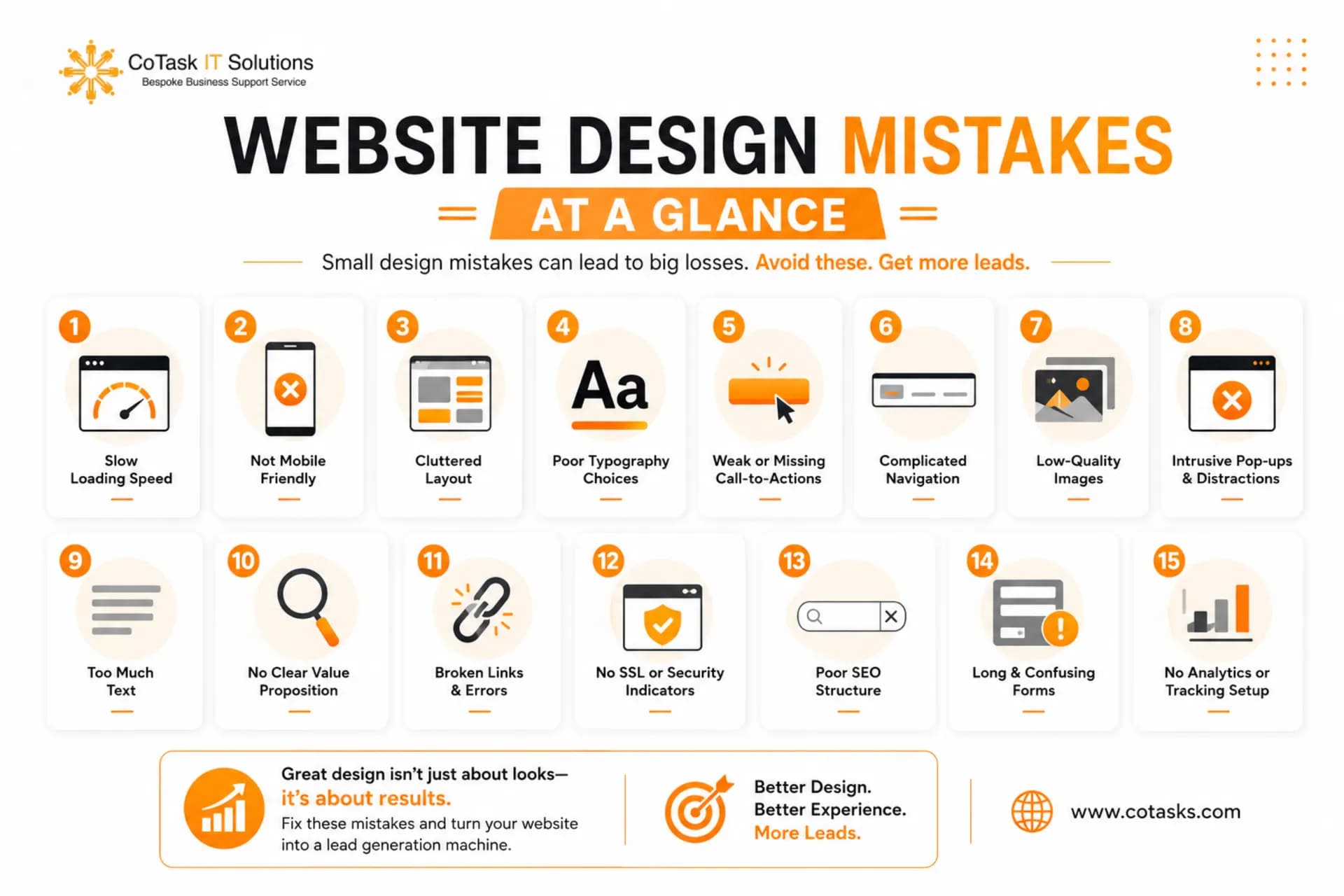
- Slow website speed → High bounce rate → Optimize performance and Core Web Vitals
- Poor mobile responsiveness → Mobile users leave → Use responsive web design
- Confusing navigation → Visitors can't find information → Simplify menus and navigation
- Weak CTAs → Lower conversions → Add clear, action-oriented CTAs
- Outdated design → Reduced trust → Refresh branding and layouts
- Visual clutter → User confusion → Use clean, minimal layouts
- Poor readability → Low engagement → Improve typography and formatting
- Low-quality images → Reduced credibility → Use professional visuals
- Missing trust signals → Lower confidence → Add reviews, testimonials, and certifications
- Long contact forms → Fewer inquiries → Simplify forms
- Poor SEO structure → Less organic traffic → Optimize on-page SEO
- Ignoring accessibility → Poor usability → Follow accessibility best practices
- Broken links → Frustrated visitors → Perform regular website audits
- No conversion strategy → Missed opportunities → Design with clear business goals
- No analytics tracking → Poor decision-making → Monitor user behavior and conversions
Website Design Best Practices
If you want your website to generate consistent leads, focus on these essentials:
- Prioritize user experience over visual complexity
- Keep navigation simple and intuitive
- Optimize page speed and Core Web Vitals
- Design for mobile devices first
- Use strong, benefit-driven calls to action
- Build trust with reviews, testimonials, and case studies
- Follow SEO best practices from the start
- Regularly update your content and design
- Track performance using analytics and heatmaps
Read More About SEO: The Future Of SEO
Quick Website Design Checklist
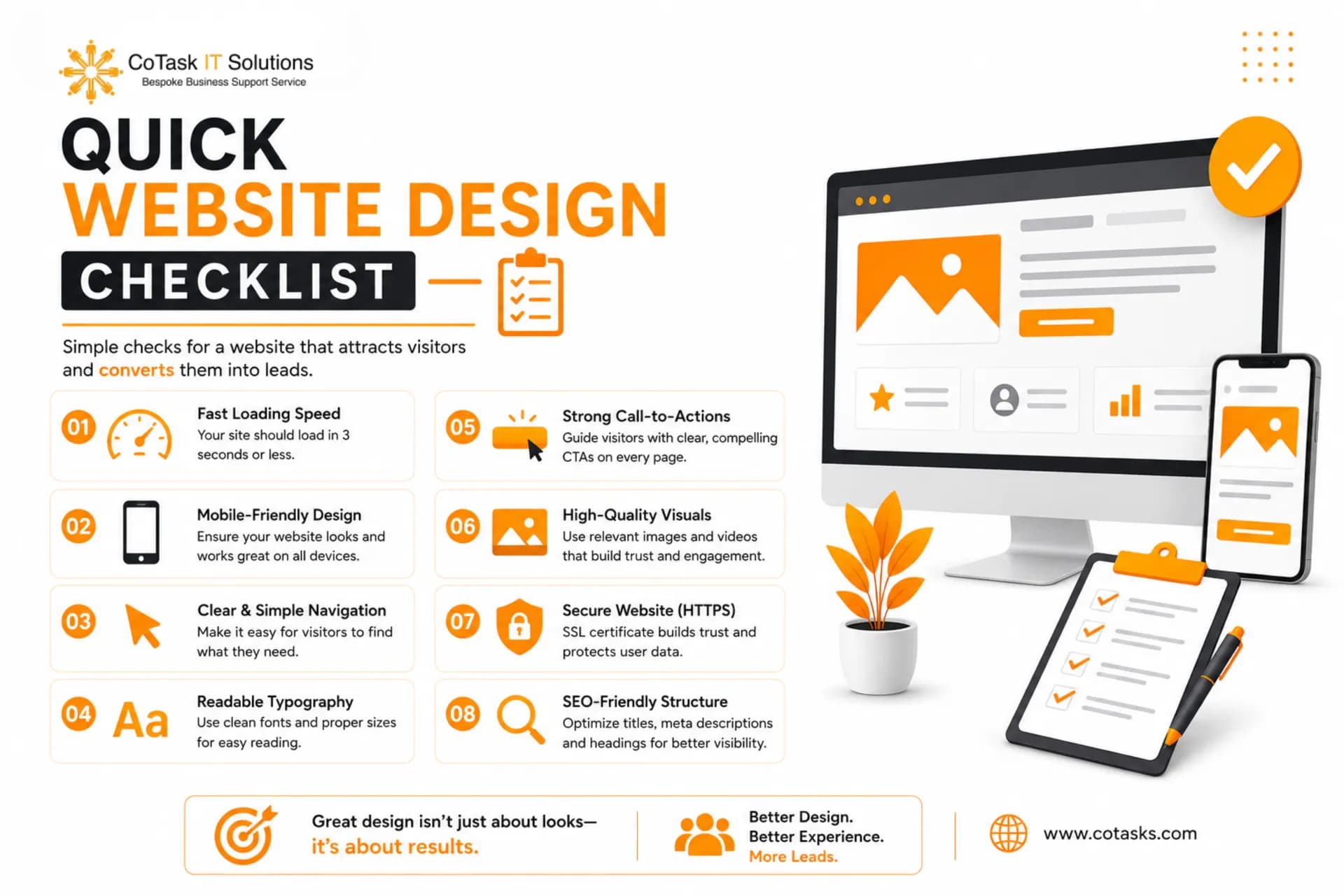
Before launching or redesigning your website, ask yourself:
- Does my website load quickly?
- Is it fully responsive on mobile devices?
- Can visitors find important information easily?
- Are my CTAs clear and visible?
- Does the website look modern and professional?
- Are trust signals displayed prominently?
- Is my content easy to read?
- Are forms simple to complete?
- Is the website optimized for search engines?
- Am I tracking user behavior and conversions?
If you answered "No" to any of these questions, it's time to optimize your website.
Read About: AI in Digital Marketing: The Future of Business Growth
Website Design Trends to Watch in 2026
As user expectations evolve, businesses should stay ahead by embracing modern design practices, including:
- AI-powered personalization
- Faster, lightweight websites
- Accessibility-first design
- Interactive micro-animations
- Voice search optimization
- Dark mode compatibility
- Privacy-focused user experiences
- Conversion-focused landing pages
- Minimalist interfaces with clear visual hierarchy
Staying current with these trends helps improve user engagement while maintaining a competitive advantage.
Mini Case Study
A service-based company experienced strong website traffic but generated very few inquiries. After reviewing the site, several issues became clear: slow loading speeds, outdated visuals, confusing navigation, and weak calls to action.
Following a redesign that included performance optimization, mobile responsiveness, simplified navigation, stronger trust signals, and strategically placed CTAs, the business saw a significant improvement in user engagement and lead generation within a few months.
👉 The biggest takeaway? Even small design improvements can have a measurable impact on conversions.
More Details About: Website Design Services: The Complete Guide to Building a High-Converting Business Website
Frequently Asked Questions
Conclusion
Your website should do more than look attractive—it should actively support your business goals by building trust, engaging visitors, and converting them into customers. The website design mistakes discussed in this guide, from slow loading speeds and poor mobile responsiveness to weak CTAs and missing trust signals, can quietly reduce your lead generation and impact long-term growth.
The good news is that these issues are fixable. By focusing on user experience, performance, accessibility, SEO, and conversion optimization, you can transform your website into a powerful marketing asset that delivers measurable results.
Ready to Turn More Visitors into Customers?
If your website isn't generating the leads your business deserves, CoTasks IT Solutions can help. Our team specializes in custom website design, responsive development, SEO-friendly websites, and conversion-focused optimization tailored to your business goals.
Contact CoTasks IT Solutions today for a professional website audit and discover how a high-performing website can help you attract more traffic, generate more qualified leads, and grow your business with confidence.