
12 Google Ads Mistakes Costing You Money in 2026
Businesses spend billions on Google Ads every year because it remains one of the fastest ways to generate qualified traffic, leads, and sales. Yet many companies are disappointed by the results. They see plenty of clicks but very few enquiries, conversions, or revenue. If this sounds familiar, you're not alone.
The truth is that Google Ads mistakes — not the platform itself — are often responsible for poor campaign performance. Small errors in keyword targeting, ad copy, landing pages, or campaign settings can quickly drain your budget without delivering meaningful results.
The good news? Most of these mistakes are completely avoidable.
Whether you're running campaigns for a local business, an eCommerce store, or a national brand, understanding what not to do is just as important as knowing the latest optimization techniques. A few strategic improvements can lower your cost per click (CPC), improve your Quality Score, increase conversions, and maximize your return on investment (ROI).
In this guide, our PPC specialists at Cotasks break down the most common Google Ads mistakes businesses make and explain how to fix them with practical, real-world strategies. If you'd rather have a specialist walk through your account directly, you can book a free consultation or request a free Google Ads audit any time.
What are the most common Google Ads mistakes?
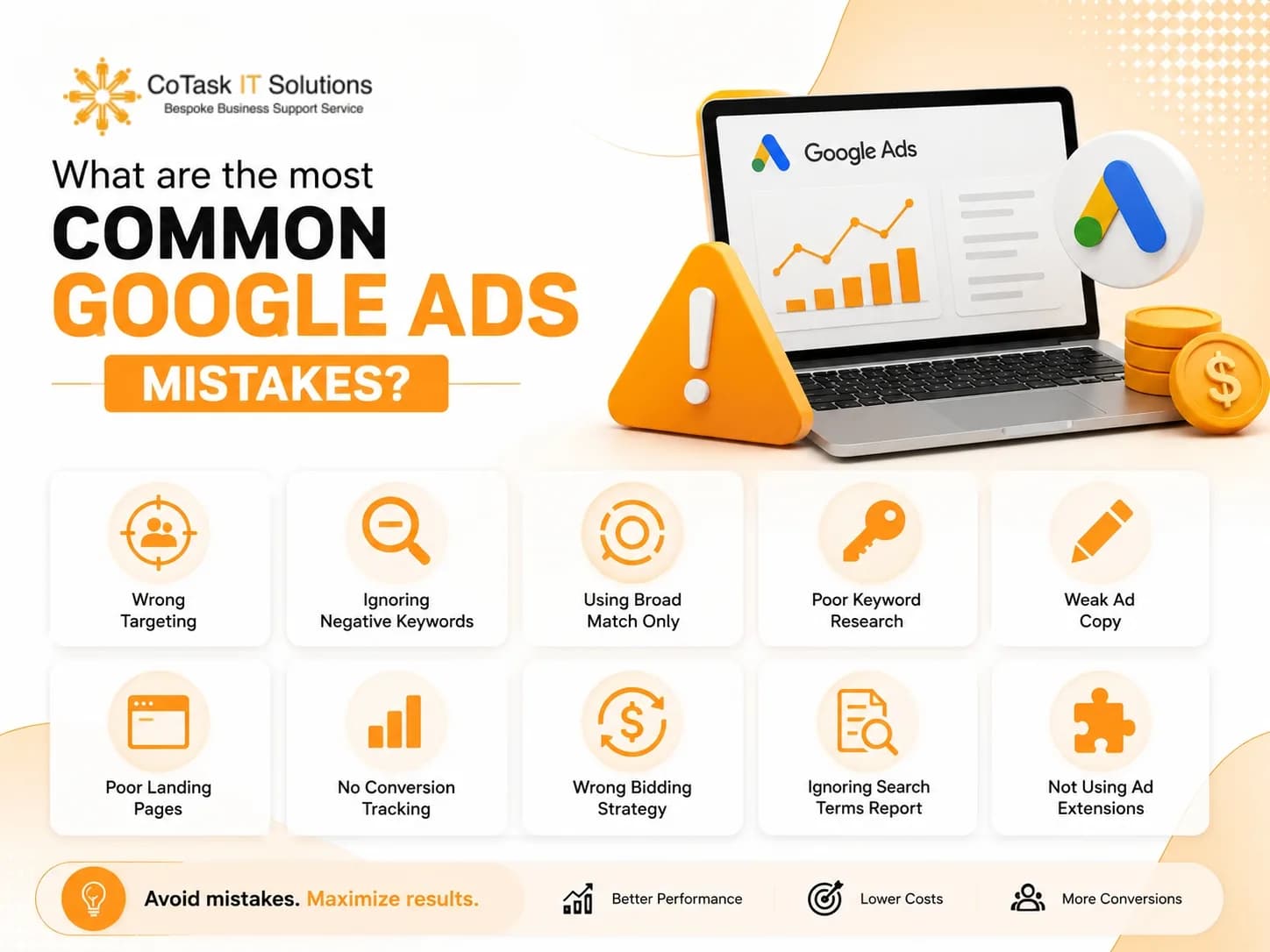
The most common Google Ads mistakes include targeting the wrong keywords, ignoring negative keywords, writing weak ad copy, sending visitors to poor landing pages, failing to track conversions, neglecting Quality Score, skipping A/B testing, and allocating budgets inefficiently. Correcting these issues can significantly improve campaign performance while reducing wasted ad spend.
Why Google Ads Campaigns Fail
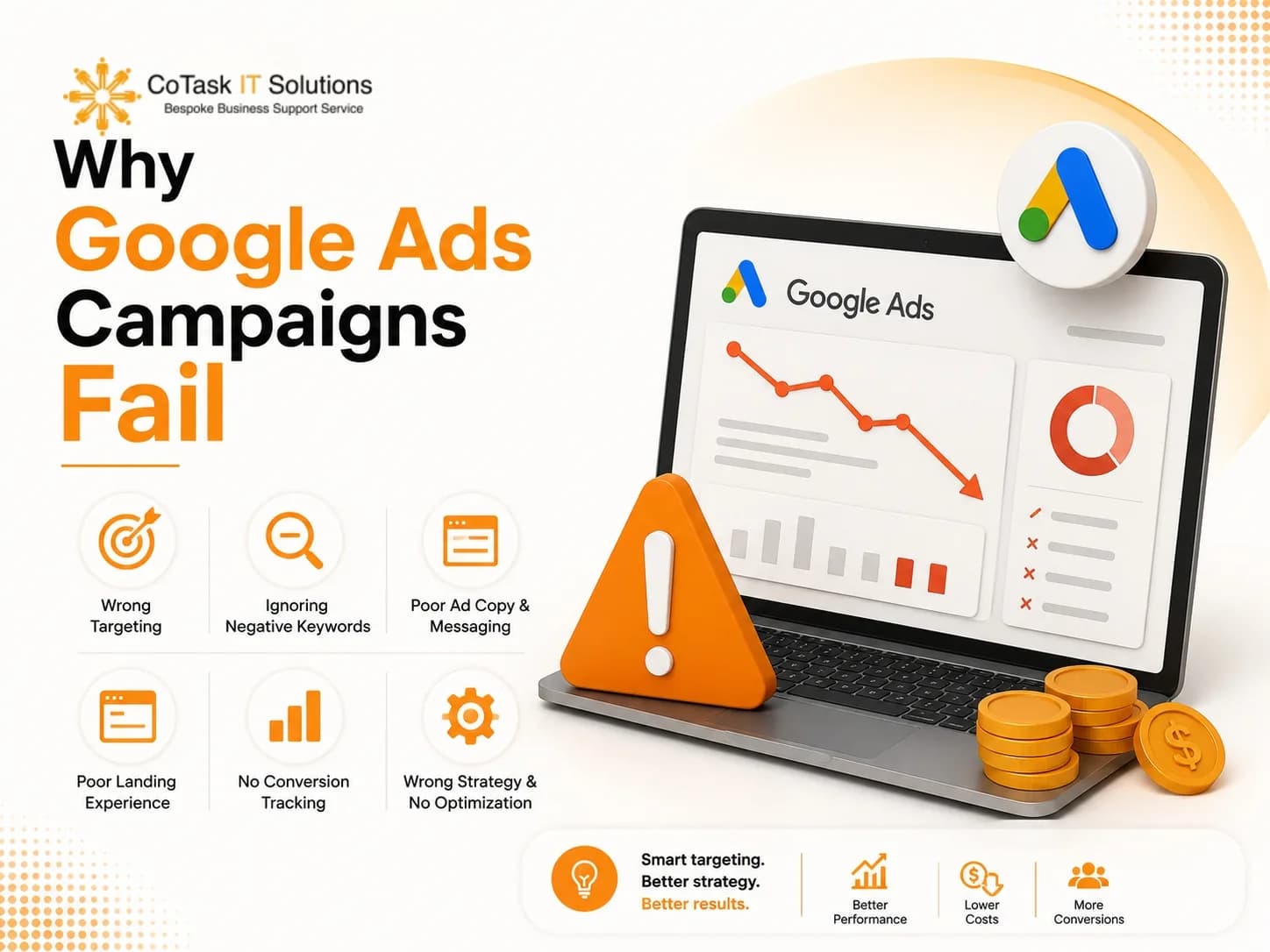
Many business owners believe Google Ads is simply about choosing keywords and setting a daily budget. In reality, successful campaigns require continuous optimization. Google's advertising platform evaluates hundreds of signals, including:
- Keyword relevance
- User intent
- Landing page experience
- Expected click-through rate
- Ad relevance
- Bid strategy
- Audience targeting
- Historical performance
Even one overlooked setting can affect your campaign's profitability. Instead of asking "Why isn't Google Ads working?", a better question is: what mistakes are preventing my campaign from performing? Let's go through the most common ones, one at a time.
1. Choosing the Wrong Keywords
Selecting keywords is one of the most important parts of any Google Ads campaign. Unfortunately, it's also where many advertisers make their biggest mistake.
Many businesses chase keywords with high search volume, assuming they'll generate more customers. However, traffic alone doesn't guarantee conversions. This usually happens because businesses choose keywords that are too broad, ignore user intent, skip keyword research, or target informational searches instead of commercial ones.
For example, someone searching "what is Google Ads?" is probably looking for educational content, while someone searching "Google Ads management agency" is much closer to making a purchasing decision. Same platform, completely different intent.
- Poor keyword quality — example: Digital Marketing
- Better keyword quality — example: Google Ads Management Services
- Best keyword quality — example: Google Ads Management Agency for Small Businesses
The more specific the keyword, the higher the likelihood of attracting qualified leads.
Broad match can waste budget. A keyword like "Google Ads Services" in broad match can trigger your ad for searches like "free Google Ads course," "Google Ads tutorial," "Google Ads certification," or "Google Ads jobs" — none of which are people looking to hire you.
Best practices:
- Focus on commercial intent
- Use long-tail keywords
- Research competitors
- Review the Search Terms report regularly
- Group keywords by themes
- Match keywords with relevant landing pages (see our landing page guide)
Key Takeaway: The goal of keyword selection is qualified traffic, not maximum traffic — people who are close to a buying decision, not just people who typed a related phrase into Google.
2. Ignoring Negative Keywords
If positive keywords tell Google when to show your ads, negative keywords tell Google when not to show them. Many advertisers skip this step entirely, which results in wasted clicks and higher costs.
Without a negative keyword list, your ads may appear for searches involving "free," "jobs," "salary," "internship," "course," "tutorial," "PDF," or "definition." Every one of those clicks costs you money you'll never recover, from someone who was never going to buy.
If your business is a Google Ads management agency, terms like "Google Ads jobs," "Google Ads internship," "learn Google Ads," or "Google Ads free classes" should all be added as negatives to filter out low-intent traffic.
Build separate negative keyword lists for:
- Employment terms (job, hiring, vacancy, career, resume)
- Education terms (course, tutorial, PDF, training, certification)
- Free/cheap terms (free, cheap, download, template)
Update these lists regularly — new irrelevant search terms show up every month as search behavior shifts.
Key Takeaway: Negative keywords don't shrink your reach — they raise the quality of the traffic you do get, which is what actually protects your budget.
3. Writing Weak Ad Copy
Even with the right keywords, poor ad copy can stop users from clicking. Your ad has only a few seconds to grab attention and give someone a reason to choose your business over the three competitors sitting right next to it.
Common mistakes: focusing only on features, lacking a clear value proposition, ignoring customer pain points, using weak CTAs, and sounding identical to every other ad on the page.
Before: "Google Ads Services. Professional Digital Marketing Agency. Contact Us Today."
After: "Grow Sales with Certified Google Ads Experts. Reduce Wasted Ad Spend. Increase Qualified Leads." Get a Free PPC Audit Today
The second version communicates a benefit, builds trust, and gives a clear next step.
Focus on benefits, not features. Instead of "we manage Google Ads," try "we help businesses cut advertising waste while generating more qualified leads." Customers care about outcomes, not process.
Strengthen your copy with:
- Numbers where relevant
- Strong action verbs
- A unique selling point
- Trust indicators (certifications, client count, guarantees)
- Emotional triggers
- A clear CTA
Key Takeaway: A compelling ad doesn't just describe your service — it gives someone a reason to pick you over everyone else on the results page.
4. Sending Visitors to the Wrong Landing Page
One of the most damaging Google Ads mistakes happens after the click. Many advertisers invest heavily in ad copy, then send that traffic to a generic homepage instead of a dedicated landing page.
Picture searching "Google Ads management services," clicking an ad, and landing on a homepage listing a dozen unrelated services with no mention of PPC, pricing, or case studies. Most visitors won't dig for what they need — they'll leave.
Signs of a weak landing page: slow load speed, generic messaging, no clear headline, weak CTA, too much navigation, poor mobile experience, long confusing forms, no trust signals.
A landing page that converts should include:
- A headline that matches the ad
- Clear, specific benefits
- Customer testimonials or trust badges
- A simple contact form
- One prominent CTA
- Fast load speed and a mobile-friendly layout
Our full breakdown of what makes a page convert — copy, speed, mobile UX, and testing — is here: Landing Page Optimization Guide.
Key Takeaway: Winning the click is only half the job. The landing page decides whether that visitor becomes a lead or bounces straight back to the search results.
5. Ignoring Conversion Tracking
One of the costliest Google Ads mistakes is optimizing for clicks instead of conversions. A campaign can generate thousands of clicks a month and still fail the business if none of those visitors become leads or customers. Without conversion tracking, every decision you make is a guess.
Conversion tracking should capture:
- Contact form submissions
- Phone calls
- Online purchases
- Newsletter sign-ups
- Quote requests
- Appointment bookings
- Live chat interactions
- Resource downloads
Why it matters: Campaign A got 2,000 clicks and 20 conversions. Campaign B got 900 clicks and 65 conversions.
Judging by clicks alone, Campaign A looks stronger. In reality, Campaign B is the better investment — fewer clicks, far more qualified leads. This is exactly why traffic that never turns into pipeline is worth investigating; we cover more of the common causes in Why Your Website Isn't Generating Leads.
Common tracking gaps: tracking only website visits, skipping phone call tracking, missing form submissions, ignoring purchase values, never importing offline conversions, and never re-testing tracking after setup.
Fix it by configuring: Google Ads conversion tracking, GA4 events, Enhanced Conversions, call tracking, ecommerce tracking (where relevant), and CRM integration for lead attribution.
Key Takeaway: You can't improve what you don't measure. Accurate conversion tracking is the foundation everything else in this list depends on.
6. Not Using Audience Targeting
Many advertisers rely on keywords alone and skip one of Google Ads' most powerful levers: audience targeting. Keywords tell Google what someone is searching for; audiences help Google understand who that person is. Combining both produces sharper, higher-quality traffic.
Two people can search "CRM software" — one a student researching an assignment, the other a business owner ready to buy. Same keyword, very different intent. Audience layers help separate the two.
Worth using:
- In-market audiences — people actively researching products like yours
- Remarketing audiences — visitors who didn't convert the first time, and already know your brand
- Customer Match — upload your customer list to reach lookalikes or exclude existing customers
- Demographic targeting — refine bids by age, income, or parental status where relevant
- Location targeting — exclude areas you don't actually serve
Best practices: layer audiences on top of keyword targeting, build dedicated remarketing campaigns, exclude audiences unlikely to convert, and review audience performance monthly.
Key Takeaway: Keywords get people to your ad. Audience targeting makes sure they're the right people.
7. Poor Budget Allocation
A large budget doesn't guarantee results — how you distribute it usually matters more than how much you have. Many businesses spread spend evenly across campaigns regardless of performance or profitability.
Common budget mistakes: funding every campaign equally, continuing to fund weak performers, ignoring seasonality, increasing spend without optimizing first, and pausing winning campaigns too early.
Example: Search Ads spent $1,500/month at an 8.5% conversion rate. Display Ads spent $1,500/month at a 1.9% conversion rate. Remarketing spent $500/month at a 12.3% conversion rate.
The instinct is often to pour more into the underperforming Display campaign. A stronger move is shifting budget toward what's already converting — Remarketing and Search — while optimizing or pausing Display.
Ask before reallocating: Which campaigns generate the most revenue? Which have the lowest cost per acquisition? Which have the highest ROAS?
Key Takeaway: Effective budgeting isn't about the total spend — it's about directing dollars toward the campaigns already proving they convert.
8. Ignoring Quality Score
Quality Score is one of the most misunderstood metrics in Google Ads. Many advertisers assume bidding higher guarantees a better position; in reality, Google rewards relevance. A higher Quality Score can lower your CPC and improve your position at the same time.
Three factors drive it:
- Expected click-through rate
- Ad relevance
- Landing page experience
Signs of a Quality Score problem: high CPCs, low CTR, poor ad rankings, high bounce rates, low conversion rates.
To improve it:
- Group tightly themed keywords into focused ad groups
- Write ads that speak directly to the keyword and search intent
- Make sure landing pages match the ad message, load fast, and work well on mobile — our technical SEO checklist covers the site-speed and crawlability side of this in detail
- Test stronger headlines, offers, and extensions to lift CTR
Key Takeaway: Quality Score is Google's proxy for how useful your ad actually is to the person searching. Improving it lowers cost and improves performance at the same time — it's rarely a case of one or the other.
Expert Insight from Cotasks: Businesses often assume Google Ads success comes down to a bigger budget. In practice, we typically see stronger gains from tightening campaign structure, sharpening targeting, and fixing landing pages and tracking first. A well-optimized account doesn't necessarily spend more — it spends smarter. Talk to our team about what a smarter account structure would look like for yours.
9. Never Testing Your Ads
A common misconception: once a campaign is live, the work is done. In reality, the best-performing accounts are built on continuous testing.
Test elements like:
- Headlines
- Descriptions
- CTA buttons
- Display URLs
- Ad extensions
- Images (Display and Performance Max)
- Landing page headlines and forms
Example: Version A used the headline "Free Google Ads Consultation." Version B used "Reduce Wasted Ad Spend with Google Ads Experts."
Version B often outperforms because it names a specific outcome instead of offering a generic freebie.
Best practices: test one variable at a time, let each test collect enough data before calling a winner, and keep testing even on your top performers.
Key Takeaway: Optimization is ongoing, not a launch-day task. The accounts that keep testing are the ones that keep improving.
10. Ignoring Mobile Users
More than half of Google searches happen on mobile. If your site isn't built for a phone screen, you're losing leads even when your ads themselves are performing well.
Common mobile issues: slow load times, tiny fonts, clunky navigation, hard-to-complete forms, undersized buttons, pop-ups that block content.
Mobile checklist: responsive design, fast-loading pages, click-to-call buttons, short and simple forms, clear CTAs, mobile-friendly navigation.
Key Takeaway: The campaign doesn't end at the click. A clean mobile experience is often the difference between a lead and a bounce.
11. Forgetting Ad Extensions
Ad extensions — now called Assets inside Google Ads — add extra information and real estate to your ad at no additional cost per impression. Skipping them is one of the easiest wins left on the table.
- Sitelinks — link to services, pricing, contact, or case studies
- Call extensions — let people call directly from the ad, especially valuable for service businesses
- Callouts — highlight differentiators like "Free Consultation" or "Certified Experts"
- Structured snippets — showcase categories, industries, or features at a glance
- Location extensions — help local customers find you on the map
Key Takeaway: Extensions make your ad bigger, more useful, and more clickable — usually without moving your CPC.
12. Never Auditing Your Google Ads Account
Even a well-built account degrades over time as search trends, customer behavior, and competitor strategy shift. Regular audits keep campaigns aligned with what's actually working.
Monthly audit checklist:
- Performance: CTR, conversion rate, cost per conversion, ROAS
- Keywords: remove weak performers, add new high-intent terms, expand negatives, review search terms
- Ad copy: pause underperformers, test new variations, refresh offers
- Landing pages: speed, content, forms, trust signals, mobile usability
- Audiences: demographic and remarketing performance, location targeting
- Budget: shift toward profitable campaigns, pause consistent losers, review bidding strategy
Key Takeaway: Routine audits surface the small leaks before they become expensive ones. If it's been more than a month since your last one, that's usually the first place to look — our team can run a free audit and show you exactly where the leaks are.
Optimization Checklist
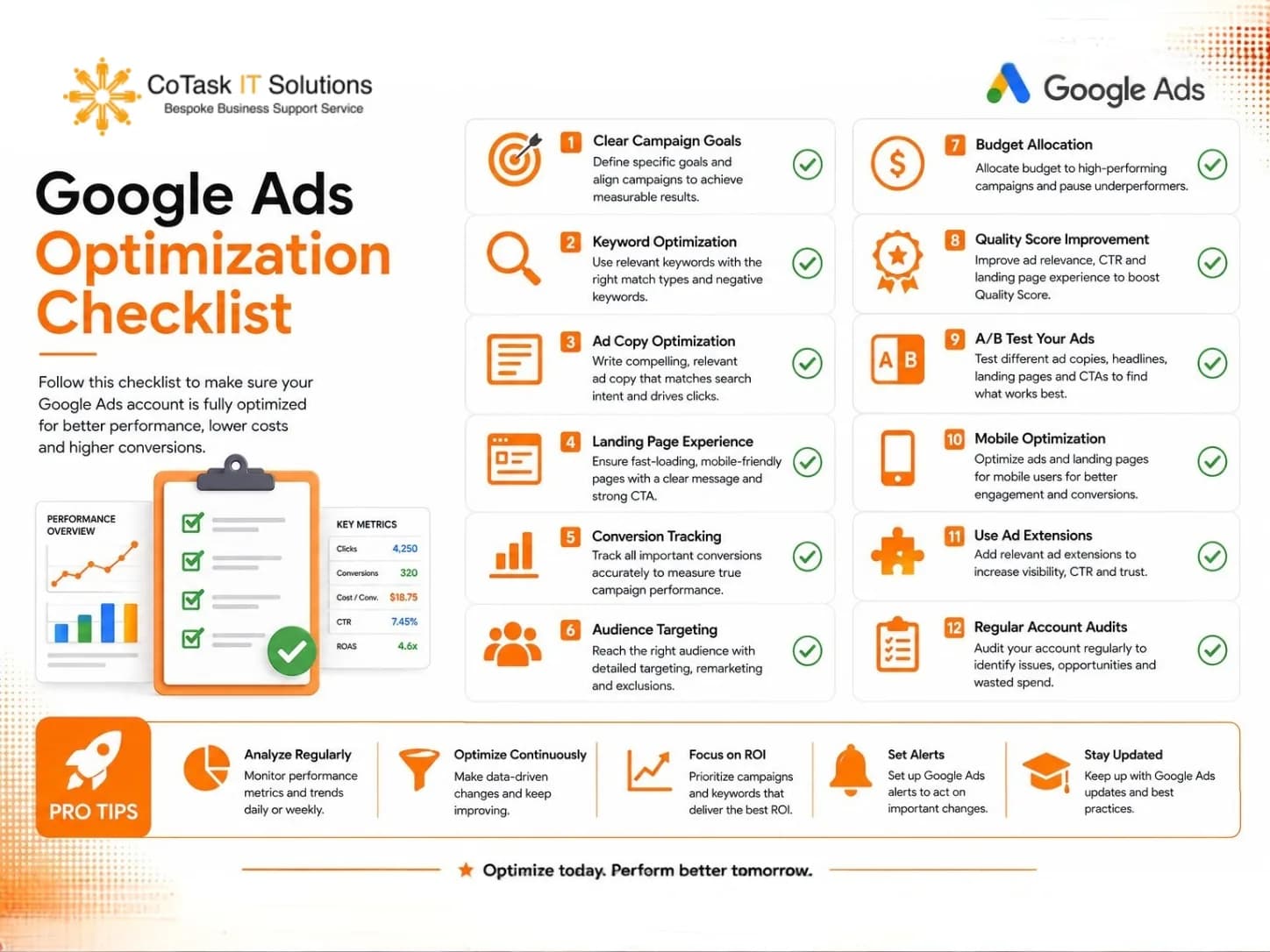
Before increasing your budget, confirm you've covered the basics:
- High-intent keywords
- Active, regularly updated negative keyword lists
- Ad copy built around specific benefits
- Dedicated landing pages matched to each ad
- Full conversion tracking (Google Ads + GA4 + calls)
- Mobile-optimized experience
- Quality Score above 7
- Ongoing A/B testing
- All relevant ad extensions in use
- Monthly account audit
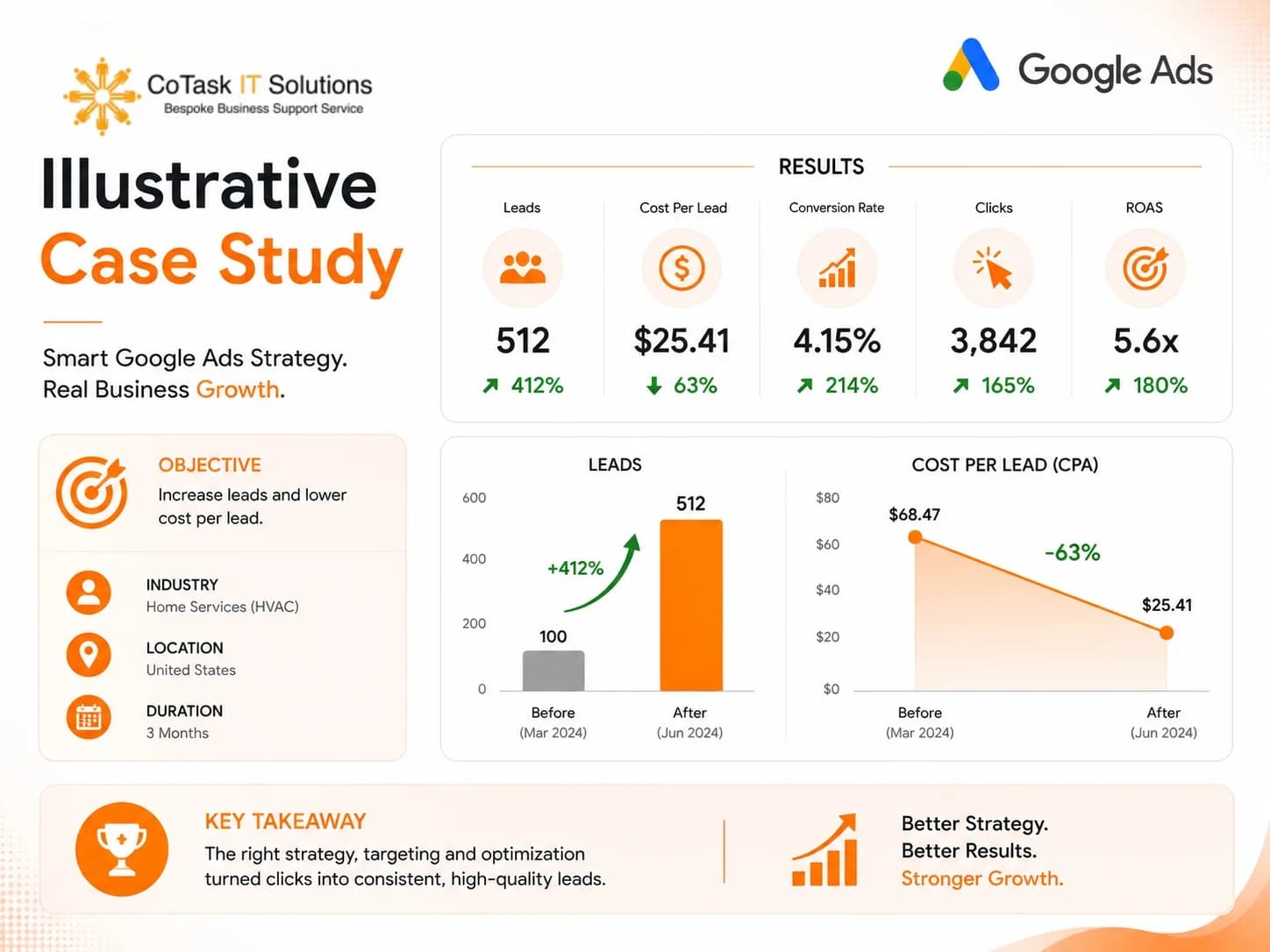
Illustrative Case Study
Note: the following is a hypothetical, illustrative example meant to show the typical pattern of improvement — not an actual client's reported figures.
Business type: Home services company. Starting point: ~$2,500/month in Google Ads spend, very few qualified enquiries. Problems identified: broad match with no negative keyword strategy, a generic landing page, missing conversion tracking, low Quality Scores, weak ad copy.
Optimization steps: tightened keyword targeting, built out a negative keyword list, created dedicated landing pages, implemented GA4 and Google Ads conversion tracking, rewrote ad copy around a specific value proposition, added sitelink and call extensions.
Directional results after three months:
- Click-Through Rate — Before: ~3%. After: ~7%.
- Cost Per Click — Before: lower Quality Score, higher CPC. After: improved Quality Score, meaningfully lower CPC.
- Conversion Rate — Before: ~2%. After: roughly 2–3x higher.
- Cost Per Lead — Before: high. After: cut roughly in half.
- Return on Ad Spend — Before: under 3x. After: approaching 5–6x.
This example is meant to illustrate the pattern — tighter targeting plus fixed tracking plus matched landing pages compounding into better efficiency — not to promise specific numbers for any account, since results vary by industry, competition, and starting point.
Frequently Asked Questions
Final Thoughts
Google Ads remains one of the most effective advertising platforms available — but success isn't determined by how much you spend, it's determined by how well the account is managed. Avoiding the mistakes above helps you cut wasted spend, lift CTR and conversion rates, and get a stronger return on every dollar in the account.
The advertisers who consistently win aren't guessing. They track performance, test new ideas, and adjust as customer behavior shifts.
Ready to fix what's costing you money? Book a free 15-minute consultation or request a free Google Ads audit from the Cotasks team — we'll show you exactly where your budget is leaking and what to fix first.